Quick start
sincrona keeps track of how much you ride each of your bikes and of every service your workshop performs on them. Instead of guessing when you last changed your chain, you (and your mechanic) can see it. That means fewer surprises mid-ride, parts replaced when they're actually worn, and a maintenance history that stays with the bike.
You don't have to log anything by hand: your rides come from the sports app you already use, and the services are registered by your workshop.
Your bikes
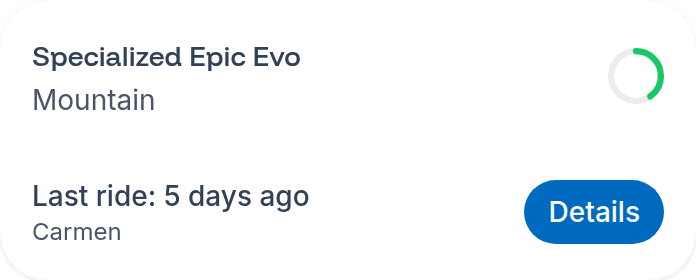
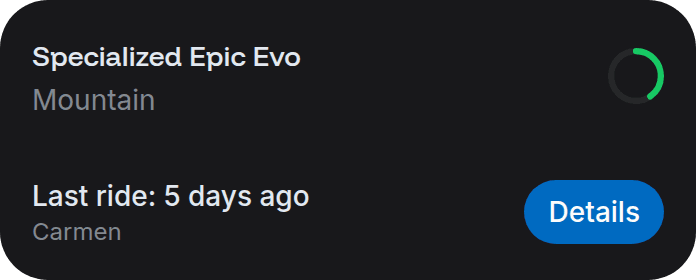
When you log in to app.sincrona.cc you land on your bikes. Each card shows:
- The bike's name, as it's defined in your sports app.
- A circular wear indicator: the bike's percentage of wear relative to your workshop's maintenance interval, coloured by how close it is to needing a check-up.
- When your last ride with that bike was.
Click Details on any bike to open it.
Can't see a bike?
Bikes come from your sports app, and the first synchronization can take a few minutes. If a bike is still missing afterwards, check that it exists and has rides assigned to it in the app — see the applications section.
A ride on the wrong bike?
Change the activity's bike in your sports app within 2 days of the ride: before a ride counts towards a bike's wear, we check which bike you rode. After that we may no longer see the change, and you'll have to delete the activity and upload it again with the right bike. See the details in Strava.
Service history
Inside a bike you'll find:
- Mileage and time of use: total accumulated wear for that bike.
- Services: every service registered by your workshop, with its date, the notes your mechanic wrote, and any attachments (photos, videos or documents) they uploaded. You can open or download them, but not delete them.
- Notifications: the messages we've sent you about that particular bike.
Services can only be registered by your workshop. If you spot something missing or wrong, tell them — they can fix it from their side.
Workshop transfer
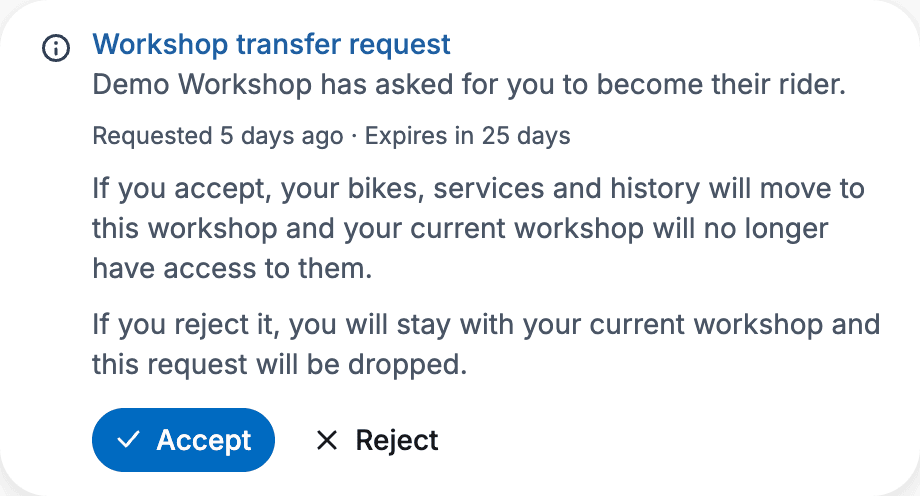
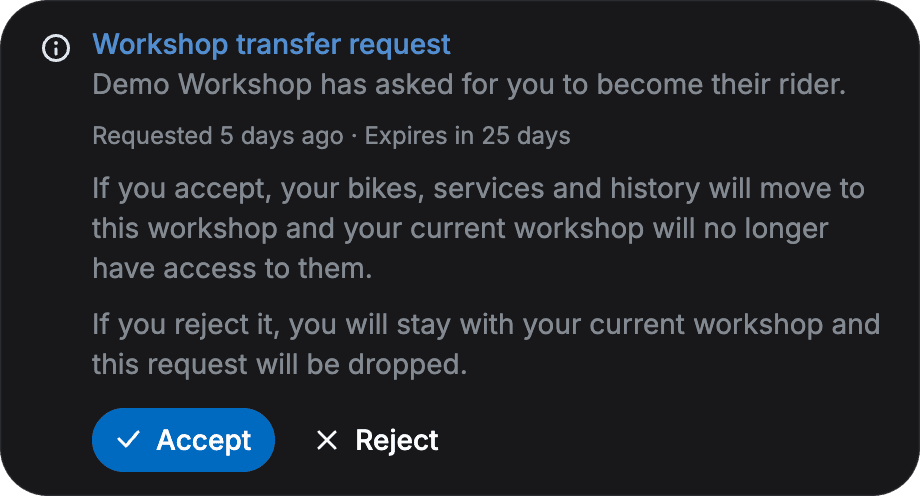
If another workshop asks you to switch to it, you'll see it when you log in to app.sincrona.cc: a notice with the workshop's name, when it asked, and when the request expires (30 days), with two buttons, "Accept" and "Reject".
If you accept
Your bikes, rides and maintenance history move to that workshop right away, and your current workshop loses access to them. If you reject it, you stay with your current workshop and the request is dropped.
Sometimes, when you accept, you'll see the "The workshop can't take more riders" notice: that workshop has reached the number of riders it can look after right now. Nothing is lost — the request stays pending and you can accept it later, as long as it hasn't expired.
If you don't answer, the request expires on its own after 30 days and you stay with your current workshop.
Your account
From your profile settings you can:
- Update your contact details and choose your notification channel — see contact and notifications.
- Check your connection to your sports app and repair it if it breaks — see check and repair your connection.
- Switch between light and dark theme.
- Choose the platform language: Spanish or English.
- Delete your account.
Language
sincrona detects your browser's language automatically and shows up in Spanish or English. If you'd rather use the other one, pick it in the Language selector in your profile settings — the change applies straight away.
Your choice is stored in the browser you're using, so if you log in from another device you'll need to pick it again there.
Deleting your account
At the bottom of your profile settings there's a Delete account button. It removes your data and any subscriptions associated with your account, and your workshop loses access to your bikes and rides.
This can't be undone
Deleting your account is irreversible: your data is erased and you won't be able to log in again. If you want to come back later, your workshop will have to invite you again from scratch.
Need a hand?
Write to us at hola@sincrona.cc and we'll help you out.